Cloud Based Purchase Order System

Streamline your purchasing process.

Secure, online, purchase Order Management Simplified...

PurchAce™ helps you manage your purchase orders effortlessly, saving time and money. Designed from the ground up to be user-friendly whilst not compromising on features.

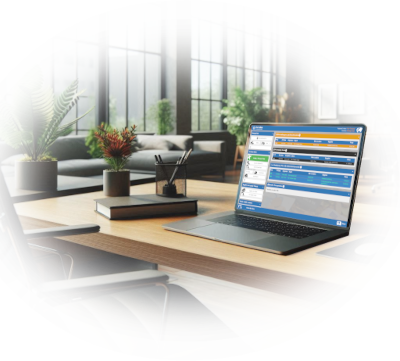
PurchAce App On Laptop Screen in office on desk

Why Choose PurchAce™

In today's fast-paced business environment, our cloud-based purchase order system delivers unparalleled efficiency and productivity.

Centralising procurement processes, enabling real-time collaboration between teams and stakeholders, no matter their location.

By streamlining workflows, reducing errors, and eliminating costly duplicate orders, PurchAce™ ensures transparency in every transaction, with color-coded POs and audit logs for easy tracking.

Additionally, its cloud-based infrastructure provides scalability and flexibility, allowing businesses to adapt without costly investments.

With robust reporting tools, users can gain valuable insights into purchasing trends, leading to smarter decision-making and cost savings.

For companies looking to stay competitive and agile, PurchAce™ is a game-changing step toward operational excellence.

PO Software for any size of business

PurchAce™ is a powerful purchase order management system that offer intuitive functionality - helping your business optimize procurement effortlessly.

Accessible anywhere, our cloud-based purchase order system works flawlessly with your favorite web browser.

Tired of outdated paper-based purchase orders or messy spreadsheets? Switch to our user-friendly PO system and simplify the entire purchasing workflow. Contact us today for a no-obligation demo and see how easy managing POs can be!

Empower your employees to streamline procurement and purchasing, so they can focus on what truly matters - getting their job done!

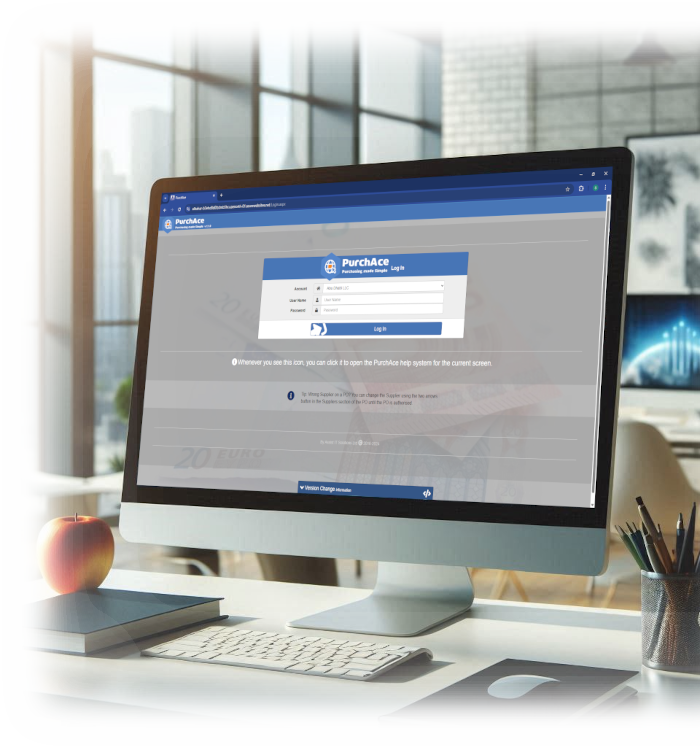
PC Showing PurchAce Login Screen

No-Nonsense Ease of Use

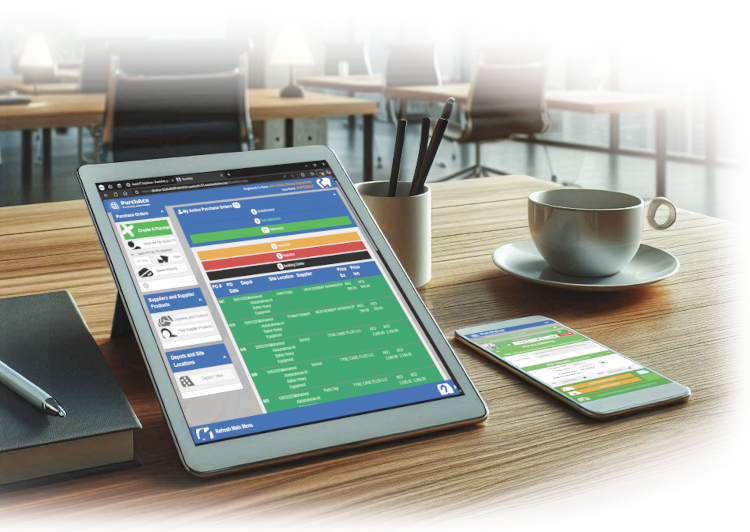
Each users active purchase orders are displayed on their main munu dashboard screen, color-coded by status for perfect visibility.

Managers can instantly see POs awaiting approval and all unauthorised POs directly from their main menu.

Reduce Costs

Our customers tell us they save valuable time - up to 10 minutes per purchase order.

Less manual work means smoother operations and more efficiency across your business.

Reduce unnecessary spending by improving visibility and control.

POs at Your Fingertips

Generate professional purchase orders with ease.

Print, email, or download POs as PDFs directly to your PC for quick sharing.

Stay organized and ensure effortless document management.

Ultimate Flexibility

Customise your PurchAce™ experience with powerful settings.

Prevent backdating, hide PO numbers until approval, and fine-tune user permissions.

Maintain control by adapting the system to your unique operation.

PurchAce™ is developed in the UK and includes UK Support.

Assist IT Solution has been saving our customer time an money by providing rock solid software and web solutions to companies like yours since 2007

Celebrating 18 Years Trading, Since 2007
Tablet and Mobile showing PurchAce™ web app on screens

Powerful Features, Simple Interface

PurchAce™ combines powerful functionality with an intuitive main menu dashboard, making purchase order management effortless.

Streamlines the PO process delivering measurable improvements in efficiency, cost control, and compliance.

Multi device

Access your POs using any device with a modern web browser installed.

iPhone, Android mobile or tablets all display correctly thanks to PurchAce™ responsive design, automatically rearranges its layout based on the device you are using.

Custom Reporting

Powerful reporting screen allows you to generate reports and export to CSV.

Search for POs using multiple criteria and Save reports for quick find in future

Search for products across all suppliers.... Find the best price for a specific product or show all the supplier that sell that product.

Specific Features (click to read more)

Down arrow

Real-Time PO Status Tracking

Monitor purchase order progress with live status updates.

Colour coded PO statuses that visually indicate request for authorisation by specific manager, approval stages, pending edits and pending delete at a glance.

All from the main menu without clicking a button. Full visibility at every step.

Down arrow

Internal Notes

Add private notes to a PO that are only visible only to your users for better tracking and communication.

Down arrow

Printed PO Notes

Include additional instructions or references to appear at the end of a purchase order.

Down arrow

Manager Limits

Restrict manager authorisation levels to maintain spending controls.

- Set a managers Maximum authorisation value.

- Specify which depots the manager can authorise POs for.

- When multi-level authorisation is setup, specify the maximum level each manager can authorise up to.

Down arrow

Multi-Level Authorisation

Supports up to 3 level of approval, requiring 3 managers to approve before fully authorised.

Down arrow

Depot and Site Restrictions

Limit individual users to only access POs for specific depots or departments for better operational management.

Down arrow

Email POs to Suppliers

Email purchase orders as HTML or PDFs directly from the PurchAce™.

Down arrow

PO Approval & Revisions

Managers can review, request edit, approve, or reject purchase orders.

Rejected POs are colour code red in the originators main menu pending

POs with a request for edit are colour coded amber on the originators main menu.

Standard users can request delete or can be given authority to delete POs. POs pending delete are colour coded black

Rejected POs remain active and colour coded red until 'deleted'. Once 'deleted' they can still be found in the reporting screen for auditing purposes.

Down arrow

User Account Flexibility

Allow your users to work how they need to, and how you want them to, including:

Restrict a user to only be able to view their own POs they created..

Restrict a user to only be able to view POs on specific depots or site locations.

Allow selected users to complete / log POs as receipted.

Set a user as inactive if an employee leaves, preventing access but keeping all references to their historic POs.

Down arrow

Cost Centres

Cost Centre functionality can be turned off or on if needed.

Users can assign each PO line to a cost centre. Managers can add cost centres in the setting screen.

Each individual user can be restricted access to assign to only specified Cost Centres..

Down arrow

PO Audit Log

Track every modification made to purchase orders with the detailed PO change log.

See exactly who made edits, what was changed, and when, ensuring full visibility and accountability.

Maintain accurate records and improve compliance by keeping a clear audit trail of all PO updates.

Down arrow

Customisable "Free Field"

PurchAce™ includes a 'free field' that you can name specific to how you work - e.g. set the field name as "Job ID" to assign and track POs by Job ID. You can then search for POs matching that Job ID in the reporting screen.

Advanced features

Down arrow

Manage User Availability

Keep your team informed with the availability calendar module.

Users can mark themselves as unavailable, on holiday, or sick, ensuring visibility for managers and colleagues.

Improve scheduling and prevent disruptions by keeping track of availability in real time.

Down arrow

Custom Supplier Payment Terms

Define payment terms directly within PurchAce, including X days from PO date or End of Month + X days (EOM + X days) to match supplier agreements.

Ensure accurate payment scheduling and financial control by setting clear due dates for purchase orders.

Down arrow

Multi-Company Access

This can be satisfied in two ways:

1. One login account with all your companies within that account. User log in to on PurchAce™ account and select their company on the PO screen when creating the PO.

With this option all companies share the same PO numbering sequence and global PurchAce™ settings.

2. Multi company login screen, where users select their company from a pull down (or use a login link for their company so they can only choose one company)

With this option each company is separate, have their own PO numbering sequence and users on each company.

This allows you to tailor each company PurchAce™ account for each entity to have different setups, their own logo in printed POs and PO footers etc.

e.g.
Company A: 1 manager to authorise PO
Company B: 2 managers to authorise. but only 1 manager for POs less than £1,000
Head Office group users can access all linked companies within PurchAce™ from one user account, simplifying control.

Down arrow

Specify Incoterms

Ensure compliance with international trade standards by selecting the appropriate Incoterm from a dropdown list in the header of each PO.

The chosen three-character code is automatically included in the printed purchase order, ensuring accurate communication with suppliers.

Down arrow

Document Upload Module

Attach invoices or relevant documents directly to purchase orders for seamless record keeping.

This is Now included in the standard price. 250Mb per user per year.

Down arrow

Accounts Export Module (New for 2026)

Export to your accounts system in a format that imports straight in.

Just tell PurchAce™ to generate the batch for export when you're ready.

PurchAce™ handles everything. No chance of accidentally including a PO again in another batch.

Includes full audit trail and ability to re-download the export file if needed.

Includes ability to temporarily exclude a PO from the batch export or permanently exclude.

Requires bespoke setup. additional charges apply

PurchAce™ Works Where You Do

Access your purchase orders from any device with a modern web browser.

Approve orders on the go, check status updates from anywhere, and stay in control of your procurement process.

Request authorisation from a a specific manager, send them an email with the PO attached in PDF and the manager can click the link in the email to authorise it!

Frequently Asked Questions

Some frequently asked questions when deciding if PurchAce™ is perfect for you...

Down arrow

How is VAT handled?

V.A.T. is handled per PO line. The default VAT is derived from your settings panel and can be overridden for each line.

You can turn VAT on or off in your Settings panel, specify the default VAT rate and rename the description for tax.

You can opt to have VAT typed in by the user or selected from preset VAT rates (and codes) drop down box that you have created in the settings screen.

Down arrow

Does it handle Uploading documents Against POs?

Yes, you can upload documents against a PO and add accompanying text.... Now included in the standard price.

Down arrow

I only want certain managers to authorise up to a certain value?

You can set the maximum value that each manager can authorise in the User Account screen.

Down arrow

Can we have more than one manager authorise our POs!

Yes, we can set your account to have 1, 2 or 3 manager authorisation.

We can even set your PurchAce™ system to require 1 manager up to a specified value, then 2 levels of authorisation for POs greater than that value.

Down arrow

Can we export our PO data

Absolutely... you can easily export full PO header or PO Lines details for any criteria from the comprehensive reporting screen in CSV format to do as you please in your favourite spreadsheet package.

PurchAce™ also has an accounts export module allowing you to export in a file that matches your account system requirements. See Accounts Export Module section in Advanced Features section above for more details or contact us.

Down arrow

Does it handle Budgets?

Unfortunately No, however, you can export your PO data to CSV format from the reporting screen to analyse as you see fit.

Down arrow

We produce A Huge Volume Of POS Is PurchAce™ powerful enough?

Our largest PurchAce™ customers has 80+ users operating in multiple countries producing over 16,000 POs a year! Yes, PurchAce™ is designed for Big users and can handle your requirements whatever they are.

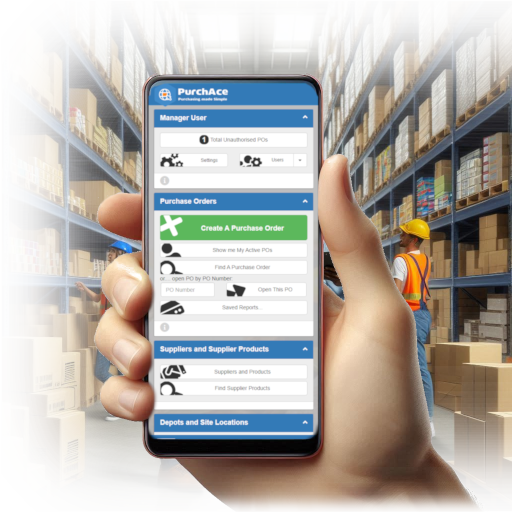
Hand, holdiing mobile phone showing PurchAce™ web app main screen

So... what does it Cost

£120 Per User, Per Year

Including e-mail and document upload functions.

(Only £10 Per User, Per Month)

  • £150 setup currently free
  • Minimum 5 users
  • Sound good?
Request Demo

Pricing excludes VAT.

PurchAce™ is billed annually.

Contact Us

Request a PurchAce™ Demo and No obligation free Trial...

Ready to Transform Your Purchasing Process?

Schedule a personalised demo to see how PurchAce™ can streamline your purchase order management.


We can offer:

  • - 30-minute personalised demonstration.
  • - Q&A with product specialist to clarify any requests.
  • - 14 day free trial for you to try before you buy.
Your Name
Your Email
Your Company Name
Your Telephone if preferred method of contact
Anticipated Number Of Users
Your Message (optional)
To show you are not a bot, Please type the first letter of your company name that you typed in your company name text box above.